Diestro
LocalCam
Use your phone as a webcam

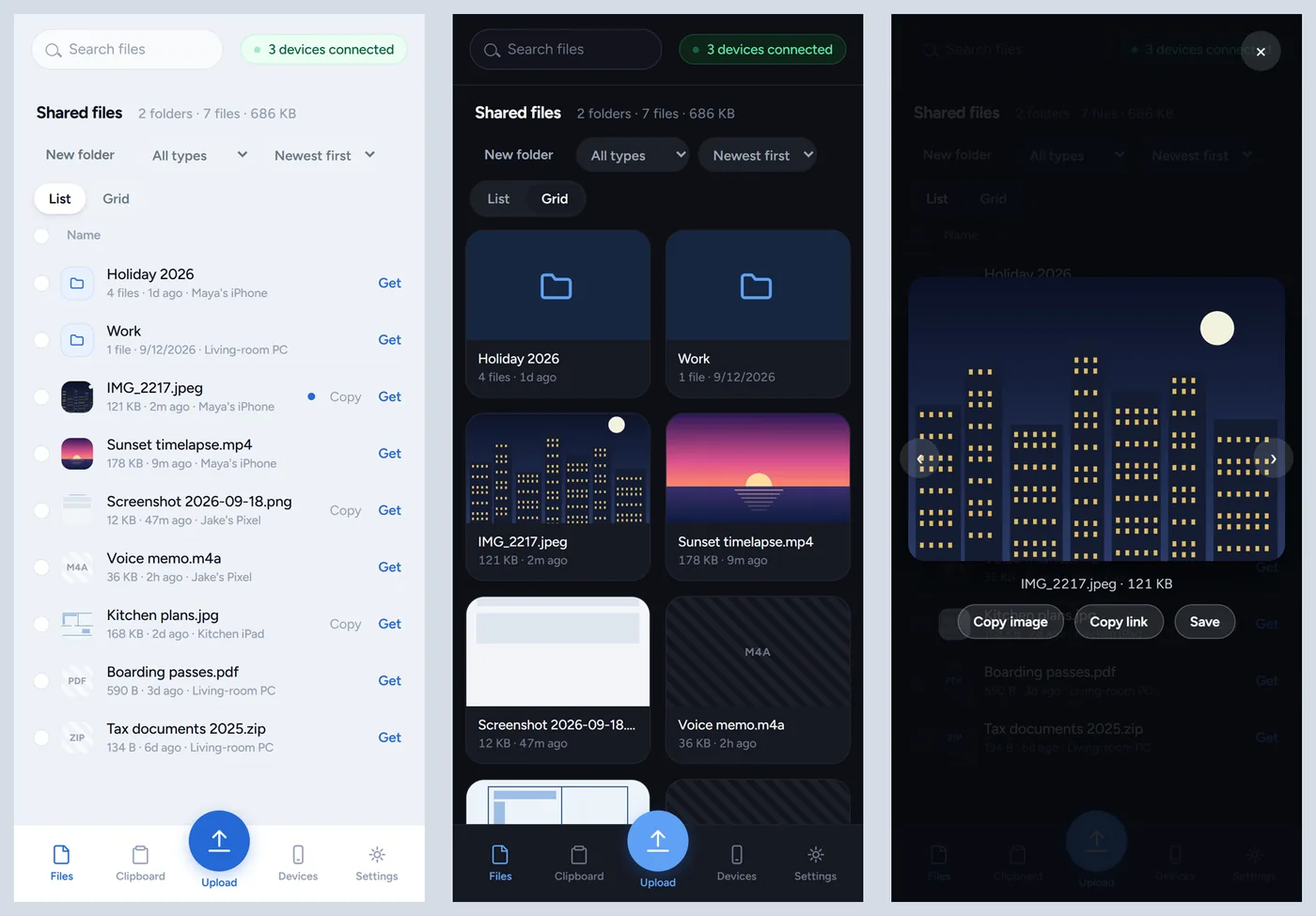
Lanlord moves photos, videos and other files between your phone and your PC over Wi-Fi, at full quality. Everything lands in a shared folder on the PC, and your phone can open that folder from its browser whenever it needs something.
Windows 10 or 11 · Any phone or tablet with a browser · Same Wi-Fi
Version 1.0.0, released September 21, 2026
Lanlord runs on Windows. To install it, open diestro.dev/lanlord on your PC.
Right-click the zip, choose Extract All and keep the folder somewhere permanent, like Documents. Then run Install Lanlord.
Lanlord opens in your browser. Under Settings there's a QR code; scan it with your phone, then add the page to your Home Screen.
Use Upload on the phone, or drag files onto the page on the PC.
The installer isn't code-signed yet, so Windows may show "Windows protected your PC" the first time. Click More info, then Run anyway.
Not from Apple. Lanlord covers the same ground: share a photo on your phone and it appears on the PC a moment later, and the phone can pull files back.
No. Lanlord is a page your PC serves to the phone's browser. Added to the Home Screen, it opens like an app.
Yes, Lanlord doesn't touch the files. iOS does convert videos picked from the photo library, though; to send the original, share it with Options, then Current, through the Lanlord Shortcut.
No. The phone and PC only need to be on the same network.
Check that both are on the same Wi-Fi and not a guest network. In Windows, set the network's Network profile type to Private, and pause any VPN.
Yes. It's open source under the MIT license.
Release notes and older versions are on GitHub. Found a bug? Open an issue.